Install Oryon in 2 minutes
Available on Android, Fire TV / Android TV and Windows. iOS and Mac are coming soon.
Scan & install
With your phone's camera, open the download page.
Accept installation from "unknown sources" if Android asks.
Enter your own subscription (Xtream, M3U or Stalker), create your profile, and you're set.
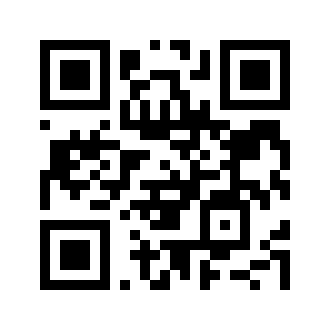 Scan to download
or go to oryon.tv/download
Install on your TV
Code to enter in the Downloader app: oryon.tv/tv
From your TV's store (Amazon Appstore / Google Play TV), install the Downloader app (free).
Settings ▸ My Fire TV / Security & restrictions ▸ enable Downloader.
Open Downloader, type this code/URL in the address field, then "Go". The download starts.
Confirm the installation, open Oryon, add your source and enjoy on the big screen.
Oryon is a media player and provides no content. After installing, you must add your own legal sources (Xtream, M3U, Stalker). The app checks for updates at launch and guides you to install the latest version.
Installation questions
Is it safe to install the APK?
Yes. The app is signed and updates automatically. Sideloading is the standard method for this kind of player; keep "unknown sources" enabled only during installation if you like.
Does the app update itself?
Yes — Oryon checks for updates at launch and guides you to install the latest version (Android & Windows).
Which devices are supported?
Android (phone/tablet), Fire TV, Android TV, Android boxes and TVs, and Windows 10/11. iOS and Mac are planned.
What do I need to watch?
Your own legal sources. Oryon provides no content: it plays what your subscriptions offer (Xtream, M3U or Stalker portal).